
Description
The Cleanest WordPress Category URL Plugin
WordPress adds a mandatory /category/ prefix to all your category URLs by default. No Category Base removes it completely — no setup, no code changes, no broken links.
By TRS Plugins | Pro ⭐ | Docs | Privacy Policy
What It Does
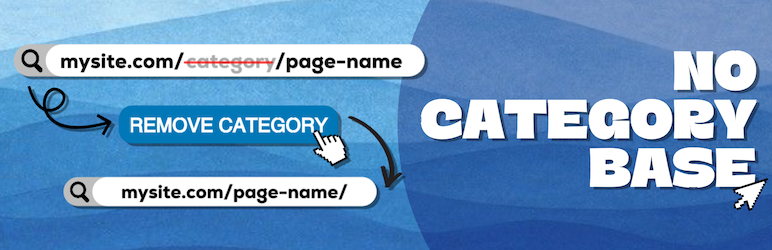
Turn URLs like this:
mysite.com/category/my-category/
Into this:
mysite.com/my-category/
The plugin works automatically the moment you activate it. No settings to configure, no WordPress core files to modify. It also handles 301 redirects from old URLs so your SEO is never impacted.
Who Is It For?
No Category Base is ideal for bloggers, store owners, agencies, and anyone who wants cleaner, more professional WordPress URLs.
It is especially useful for:
- Stores using WooCommerce product categories
- Content sites with deep category structures
- Multilingual sites running WPML
- Agencies managing multiple WordPress installations
Main Features
- Removes
/category/base from all category permalinks automatically - No setup required — works out of the box
- Handles 301 redirects from old category URLs
- Compatible with subcategories and nested structures
- Works with WordPress Multisite
- Compatible with sitemap plugins
- Zero overhead — barely affects site performance
Admin Settings Page
The plugin adds a settings page under Settings No Category Base with the following tabs:
- Settings — View plugin status and flush rewrite rules
- Help — Access the live demo and quick-start guide
- ⭐ Go Pro — Unlock advanced permalink management features
- URL Control (Pro) — Remove base slugs from tags and custom taxonomies
- Conflict Handler (Pro) — Detect and resolve slug collisions
- Redirects & 404 (Pro) — Manage redirects and track 404 errors
- Dashboard (Pro) — Overview of URL changes, redirects, and SEO status
- WPML Advanced (Pro) — Translated slugs and hreflang management
- Import / Export (Pro) — Save and restore settings across sites
Compatible With
- WooCommerce
- Elementor
- SureCart
- EasyCart
- WPML
- WordPress Multisite
- All major sitemap plugins
Pro Version
Upgrade to No Category Base Pro ⭐ to unlock:
- Custom taxonomy base removal (tags, product categories, and more)
- Conflict detection and one-click resolution
- Redirect manager with hit counts and 404 tracking
- Preview mode and rollback
- WPML translated slug management and hreflang audit
- Import/export settings across multiple sites
External Services
This plugin optionally sends usage data to TRS Plugins
when the site admin explicitly opts in. No data is collected without consent.
Data sent may include: admin name, email, site URL, WP/PHP version, and
plugin/theme list depending on the options selected.
Privacy policy: https://trsplugins.com/privacy-policy/
Screenshots

Look Ma, No Category Base!
Installation
- Upload the no-category-base-wpml folder to the ‘/wp-content/plugins/’ directory
- Activate the plugin through the ‘Plugins’ menu in WordPress
- That’s it! You should now be able to access your categories via mysite.com/my-category/
FAQ
-
Why should I use this plugin?
-
Use this plugin if you want to get rid of WordPress’ “Category base” completely. The normal behavior of WordPress is to add ‘/category’ to your category permalinks if you leave “Category base” blank in the Permalink settings. So your category links look like ‘mysite.com/category/my-category/’. With this plugin your category links will look like ‘mysite.com/my-category/’ (or ‘mysite.com/my-category/sub-category/’ in case of sub categories).
-
Will it break any other plugins?
-
As far as I can tell, no. We have been using this on several sites for a while and it doesn’t break anything.
-
Won’t this conflict with pages?
-
Simply don’t have a page and category with the same slug. Even if they do have the same slug it won’t break anything, just the category will get priority (Say if a category and page are both ‘xyz’ then ‘mysite.com/xyz/’ will give you the category). This can have an useful side-effect. Suppose you have a category ‘news’, you can add a page ‘news’ which will show up in the page navigation but will show the ‘news’ category.
-
Do I need WPML to use it?
-
No, you can use this plugin without having WPML installed.
-
Can you add a feature X?
-
Just ask on the support forum. If its useful enough and we have time for it, sure.
-
I get 404 errors when I deactivate the plugin. What can I do?
-
When you deactivate the plugin, you need to tell WordPress to refresh its permalink rules. This is easy to do.
Go to Settings -> Permalinks and then click on Save Changes.
-
Will removing the category base hurt my SEO?
-
No. The plugin automatically sets up 301 redirects from old URLs to the new ones, preserving your SEO rankings.
-
Does it work with WooCommerce product categories?
-
Yes, it is compatible with WooCommerce.
-
Does it work with custom taxonomies?
-
The free version handles WordPress categories only. Custom taxonomy base removal is available in the Pro version.
-
Will it work with my caching plugin?
-
Yes. After activating, simply clear your cache and the new URLs will work correctly.
-
Does it work with Yoast SEO or Rank Math?
-
Yes, No Category Base is compatible with major SEO plugins including Yoast SEO and Rank Math.
-
Do I need to reconfigure anything after updating WordPress?
-
No. The plugin maintains its rules automatically across WordPress updates.
Reviews


Contributors & Developers
“No Category Base (WPML)” is open source software. The following people have contributed to this plugin.
Contributors

“No Category Base (WPML)” has been translated into 8 locales. Thank you to the translators for their contributions.
Translate “No Category Base (WPML)” into your language.
Interested in development?
Browse the code, check out the SVN repository, or subscribe to the development log by RSS.
Changelog
1.5.4
- Updated: Refreshed plugin description with full feature overview and admin menu documentation
- Added: Pro version feature highlights
1.5.3
- Updated: Plugin homepage and branding to TRS Plugins
- Added: Privacy policy link
- Added: Compatibility notes for WooCommerce, Elementor, SureCart, and EasyCart
- Maintenance and stability improvements
1.5.2
- Added: Optional usage analytics to help improve the plugin (opt-in, disabled by default)
- Maintenance and stability improvements
1.5.1
- Maintenance release
1.4
- Plugin ownership transferred to DigitalME
- Updated author information and links
- Confirmed compatibility with latest WordPress versions
1.3
- Bug fix provided by Albin.
1.2
- Plugin transferred to Marios Alexandrou. Support and development resumed.
- Confirmed compatibility with WordPress 4.4.2.
1.1.5
- Added support for custom pagination_base.
1.1.0
- Fixed compatibility for WordPress 3.4.
1.0.0
- Initial release.