

Description
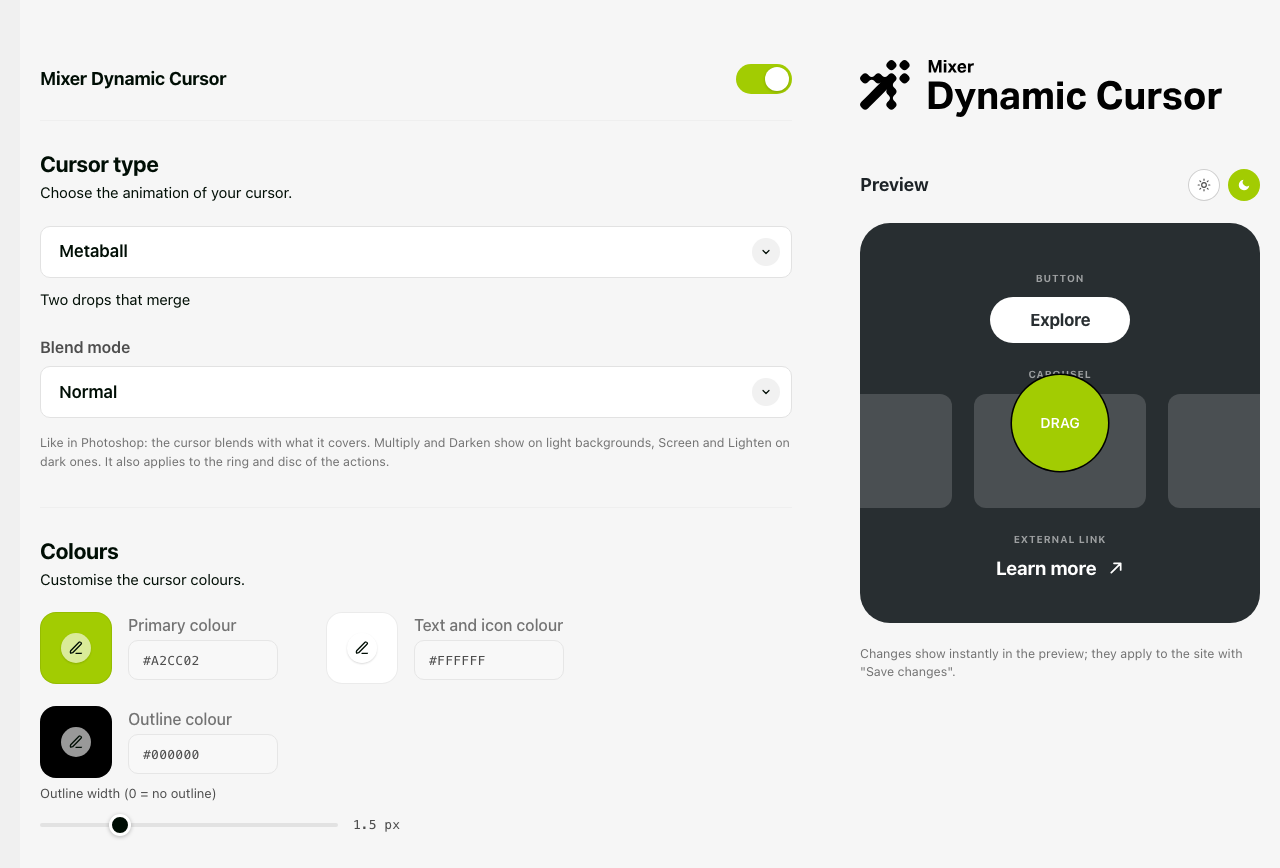
Mixer Dynamic Cursor replaces the system pointer with an animated cursor that follows the mouse and reacts to what it hovers. Everything is set from one page in the dashboard, with a live preview.
24 cursor styles, each with one to three colours: Metaball, Dot, Invert, Glow, Comet, Trail, Crosshair, Magnet, Jelly, Lens, Pixel, Neon, Sparkles, Beam, Amoeba, Radar, Caret, Eclipse, Orbit, Brush, Autofocus, Glitch, Heart, Confetti.
Blend modes, named and grouped like in Photoshop: Normal, Darken, Multiply, Color Burn, Lighten, Screen, Color Dodge, Overlay, Soft Light, Hard Light, Difference, Exclusion, Hue, Saturation, Color, Luminosity. Invert always uses Difference.
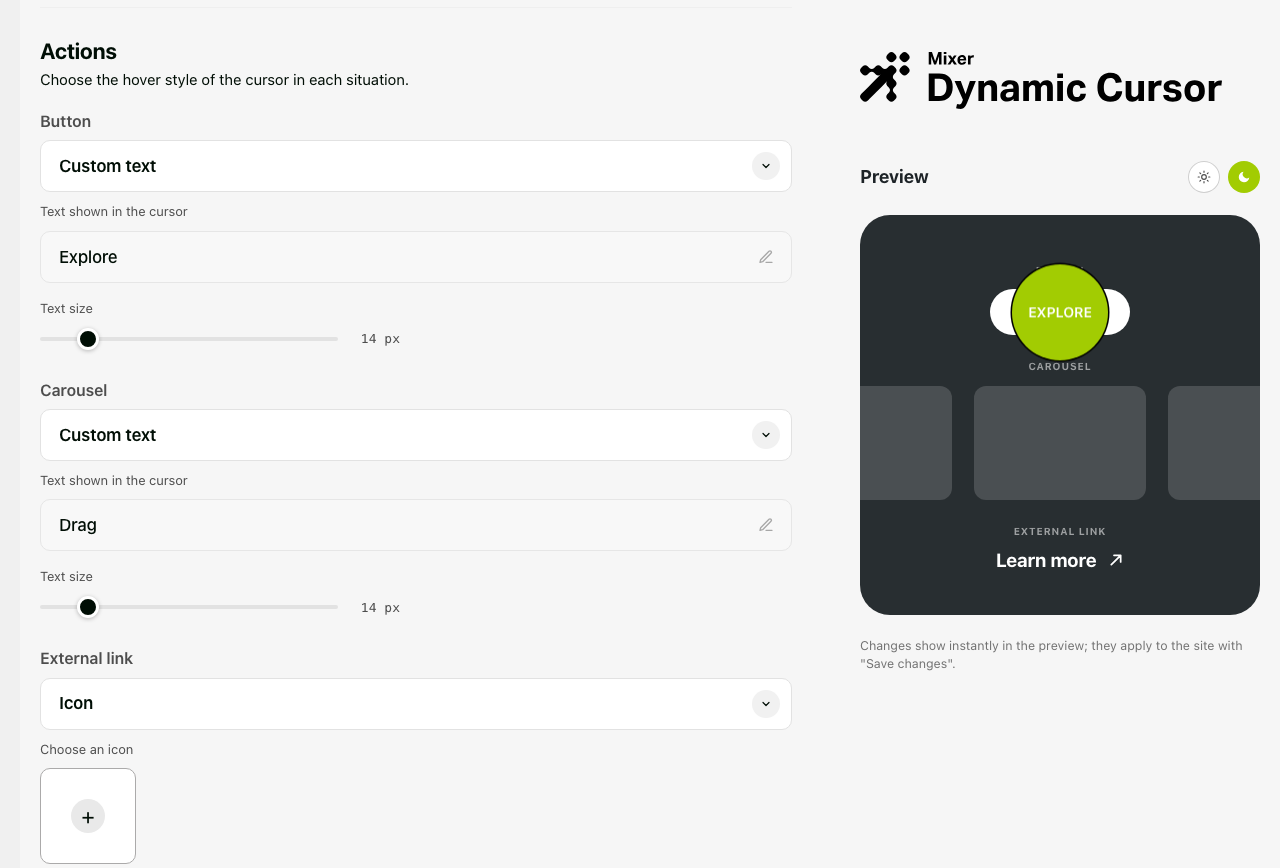
Three hover actions, each in three modes (Ring, Icon, Text):
- Button: buttons and links, tabs, ARIA interactive roles, form submit controls.
- Carousel: Elementor (free and Pro), Swiper, Flickity, Slick, Owl, Splide, Glide, Tiny Slider, Keen, Embla, Smart Slider, MetaSlider, Soliloquy, Slider Revolution, and in general any container that scrolls horizontally. Carousels that cannot be dragged keep the normal cursor.
- External link: links with
target="_blank"orrel="external".
Other features
- Icons from the media library (SVG or PNG with transparency). Without an icon, the bundled 45° arrow is used.
- Font: the site font, a Google Font, or Adobe Fonts (Typekit project ID, validated from the dashboard).
- Outline colour and width, text size, case and weight for the actions.
- Extra CSS selectors for buttons, carousels and “system cursor” areas.
- Per-element overrides:
data-cursor="button|carousel|external|native"anddata-cursor-text="Drag". - Mouse and trackpad only: on touch devices nothing is loaded. With “reduce motion” enabled, ambient animations and trails are turned off.
- Not loaded in the Elementor editor and preview, in feeds, REST and AJAX requests.
- A
dynamic_cursor_should_loadfilter to switch the cursor off on specific pages.
External services
Mixer Dynamic Cursor works without contacting any external service. Two optional font sources, chosen by the administrator in the dashboard, load files from third-party servers:
Google Fonts — when “Google Fonts” is selected as the font source, every page of the site loads a stylesheet from fonts.googleapis.com and the font files from fonts.gstatic.com. Visitors’ browsers connect to Google servers, which receive their IP address. Service: Google Fonts — Google Privacy Policy — Google Fonts FAQ on privacy.
Adobe Fonts (Typekit) — when “Adobe Fonts” is selected, every page of the site loads a stylesheet from use.typekit.net with the project ID you entered, and visitors’ browsers connect to Adobe servers. In addition, when the administrator clicks “Validate ID” in the dashboard, the site’s server fetches https://use.typekit.net/<project-id>.css once to read the available font families. No other data is sent. Service: Adobe Fonts — Adobe Terms of Use — Adobe Privacy Policy.
With the default “Site font” option, no external request is made.
Screenshots
Installation
- Upload the
mixer-dynamic-cursorfolder to/wp-content/plugins/, or install it from Plugins Add New. - Activate the plugin.
- Open the Mixer Dynamic Cursor menu in the dashboard, choose a style, colours and actions, and save.
FAQ
-
The cursor does not appear on my site
-
The cursor only works with a mouse or trackpad: on touch screens the system pointer is kept. Check that the switch at the top of the Mixer Dynamic Cursor page is on, and that you are not in the Elementor editor or preview.
-
How do I keep the normal cursor on a specific element?
-
Add
data-cursor="native"to the element, or add its CSS selector under Advanced System cursor on. -
My carousel is not recognised
-
Add the carousel’s CSS selector under Advanced More carousels, or
data-cursor="carousel"on its container. A custom word can be set withdata-cursor-text="…"on the carousel or on any ancestor. -
Can I turn the cursor off on some pages?
-
Yes, with the
dynamic_cursor_should_loadfilter:add_filter( 'dynamic_cursor_should_load', function ( $load ) { return ! is_page( 'contact' ) && $load; } ); -
Is the plugin available in my language?
-
The interface is in English and can be translated on translate.wordpress.org. Approved translations are installed automatically by WordPress. An Italian translation is already submitted for review.
-
Does the plugin send data anywhere?
-
No. Only the optional Google Fonts and Adobe Fonts sources load files from their servers; see External services above.
Reviews
There are no reviews for this plugin.
Contributors & Developers
“Mixer Dynamic Cursor” is open source software. The following people have contributed to this plugin.
Contributors
Translate “Mixer Dynamic Cursor” into your language.
Interested in development?
Browse the code, check out the SVN repository, or subscribe to the development log by RSS.
Changelog
1.7.1
- Renamed to Mixer Dynamic Cursor (slug mixer-dynamic-cursor) for the WordPress.org directory. Translations now come from translate.wordpress.org; the bundled language files and load_plugin_textdomain() were removed.
- Dashboard below 1100px wide (single column): the preview no longer stays stuck over the settings while scrolling; tighter card padding on phones.
1.7.0
- Ready for the WordPress.org directory: unique
dynamic_cursor_prefix on functions, constants, option and hooks (the settings saved by earlier versions are migrated automatically), English interface, uninstall routine, documented external services. - Lifecycle notice moved to Tools Site Health only.
- JS globals renamed to
DynamicCursorConfigandDynamicCursorAdmin.
1.6.2
- Dashboard logo in a single colour.
1.6.1
- Lifecycle check: “Tested up to” and “Support until” headers compared with the site, with a notice in Site Health.
1.6.0
- Overlays and widgets above the page (e.g. accessibility panels): the cursor stays visible above them, also inside shadow DOM.
- Outline of ring and disc: colour and width of your choice (0 = none).
- Text size per action in Text mode (10–40 px).
- Carousels that cannot be dragged keep the normal cursor;
data-cursor="carousel"forces it. - Action text: case and weight options, normal letter spacing.
Older versions: see changelog.txt in the plugin folder.